

Social networking can be fun especially Twitter and Facebook, but when you have an important job to complete (like preparing a document or complete a coding), then these sites could become a time waster and your boss might be behind you for not doing the job. But with Application Monitor, you dont have to worry about it, it keeps you reminding that you need to switch to more important tasks when you are spending time leisurely during working hours.
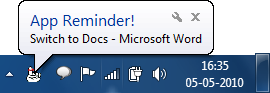
This simple application can remind you that you need to switch to other work after every preset time interval. You can select from the list of running application and alert you to shift to that application after the selected time.
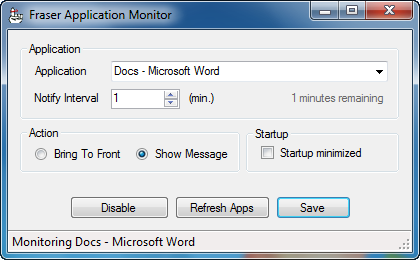
You can either bring the selected application to front of all other application or have a system tray reminder.








Hey there, You have done a fantastic job. I’ll certainly digg it and personally suggest to my friends. I am confident they will be benefited from this web site. cam dames
thanks for this have been looking for this a loong time nu, saved my day.
Amazing this information is actually awesome it really aided me and even my family, cheers!
I’m very new to WordPress. Is it easy to customize so it has its personal look ?!?. Thankyou
It is truly a great and helpful piece of info. I’m happy that you shared this useful info with us. Please keep us up to date like this. Thanks for sharing.
Good posting from professional also it will be a fantastic know how to me and thank you very much for posting this valuable information with us all.
Thank you for sharing with us, I conceive this website truly stands out : D.
very good work 😉 I tweet this !