

AC Browser Plus is a multi Window File Manager and explorer for Windows. With AC Browser plus you can work with as many open folders as you want, in one application, which is in contrast to dual panel file managers. Most of the File Explorers in Windows will allow you to open only two windows simultaneously, but with AC Browser, you can open any number of Windows.
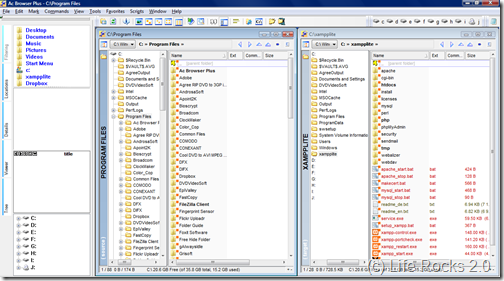
AC Browser Plus has lots of features to talk about. Most of the Windows functions related to Explorer are accessible from AC browser. The top panel displays all the hard disks on your PC and can be easily accessed. You can also add network locations through FTP. In short AC Browser provides you with set of tools for navigating your computer, integrated FTP client, image handling (viewing and conversion) and locating files in a much better and more effective way than using standard Windows Explorer.
Key Features of AC Browser Plus;
- Integrated FTP client.
- Folder synchronizer tool working with local, network, FTP and zip folders.
- Zip as folders, packing, unpacking with ease, implemented into the file manager itself.
- Adding comments to files and directories.
- Multi Window Interface makes it easier to use
- View and edit text, and image files straight from the file manager
- Convert images to another type (supported jpg, png, tiff, gif, bmp, pcx, ico), change the resolution and other characteristics.
- You can write scripts, which can be executed in the context of currently selected files or folders
AC Browser Plus has two edition, a free version and a Plus version. The only difference with Free edition and Plus version is that in free edition you can open only three windows at a time, but plus version can open any number of windows.
Even though the free version has a three window restriction, this file explorer is worth trying for the features it supports.
Download AC Browser Plus Free Edition







