

Sometimes programs like email or your webserver monitoring applications might have crashed and did not start automatically. Application Monitor is a freeware program that constantly checks the processes previously chosen by the user, and when it detects that one of those processes has stopped working it will start it again. So in any case the programs selected by you crashes, then Application Monitor will start it back for you.
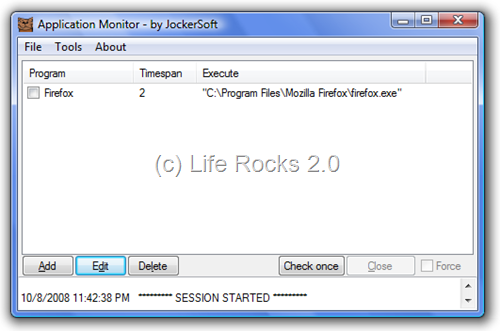
With the add button, you can start adding application which you want to monitor. AppMonitor has been developed keeping in mind all the admin and power users who use programs that must always been running and that don’t have a built-in restart function.
Application Monitor is pretty useful tool especially if you are running a web server or a monitoring tool for websites.




Quite a useful tool, there are several times when the application crash and vista does not have a option to restart it, this will definitely be useful 🙂