

If you logged on to Windows Live Messenger from any PC and forgot to sign out when you finished browsing, then Live Messenger provides an option of remotely sign out of Messenger. This feature is useful if you signed in to Windows Live Messenger from your friends house or from a browsing center and forgot to sign out. You can see this message when you are signed into Live Messenger from more than one place.
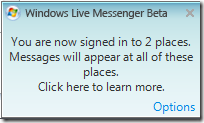
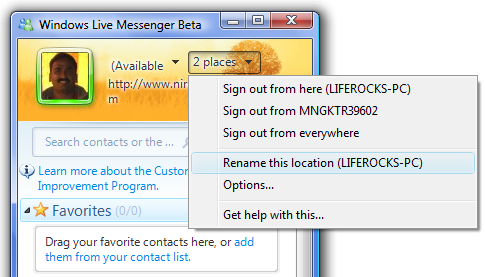
To remotely sign out, click on the button on the top of the Messenger which indicates the number of places signed in. Here you can see all the locations where you have signed in. Select the location from where you want to sign out. There is also option to sign out from all places.
Alternatively you can also set to sign out from anywhere else when you log in. To set this option, select the option button and navigate to Sign in tab. In the Sign In tab, select the option “Sign me out everywhere else”.
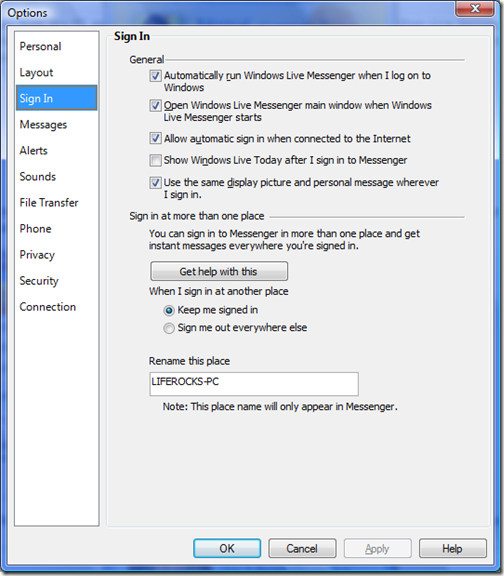
Click Apply and now on Windows Live Messenger will sign out from other places when you sign in. Selecting this option will give more security to your Windows Live Messenger.



This software is nice. I wish there is a similar software for Google Talk and Yahoo Messenger.
I want to sign out because i caunt remember my pass word. so i need to start over with a fresh name and address that’s me ,[email protected]