

Whenever a new program is installed, sometimes it prompts for a restart of PC, but in these cases it would be sufficient if we restart the Explorer instead of restarting Windows. For restarting explorer, you can follow the normal process by selecting CTRL +ALT +DEL and select Task Manager. In the task manager, click on explorer.exe entry and select End Process.
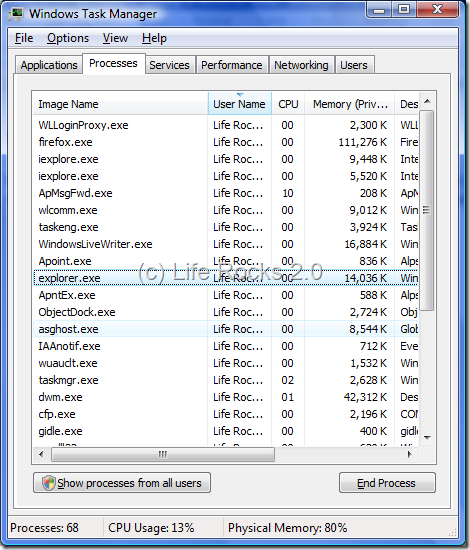
This process can be simplified by creating a batch file and then executing it from the desktop. To do this, open notepad and type the following commands,
@echo off
taskkill /f /IM explorer.exe
explorer.exe
Now save the file in Windows folder with the extension .bat. The file name can be anything you chose. Now create a shortcut to this file on the desktop. Now whenever you need to restart explorer, double click on the desktop entry and it will do the job of restarting explorer.
Please make sure that you save all information which you were working on before executing this command.




Nice clean way to exit explorer, I usually don’t self promote in comments but there is another simple way in which you can cleanly exit explorer.exe [link] I had written sometime back.
Nirmal,
Thanks for the tip. I was doing this killing of explorer.exe but when the PC doesn’t respond. I didn’t know about this trick
Kieth also thanks for the link…
Yeah this is another way of doing it…I usually do what Keith was talking about…