

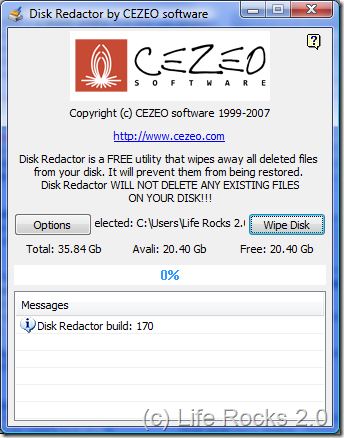
Disk Redactor is a free utility that lets you securely erase any deleted files and prevent them from being recovered. All your private sensitive insecurely erased information will be wiped from free unused space on your drives to ensure complete data destruction. This is important because whenever we delete data, it will be still available as long as its overwritten.
Disk Redactor will complete the process of erasing by writing a big file with zeros to overwrite all deleted files on your drive.
Old data will be available until another file overwrites it (uses the same space on the disk). The only way to prevent data from being recovered is to overwrite it. Use Disk Redactor every time you delete files containing your confidential and sensitive data, otherwise this data can be easily recovered.
Usage of Disk Redactor is pretty easy and all you have to do is to select the folder or drive using the wipe disk button and the software does the job for you. Disk Redactor is free to use and it can also be used from command line.
Disk-redactor.exe /p:“path to drive or folder to wipe” /a
/p – path to drive or folder to wipe
/a – auto close when operation will be completed







