

File Copier is a freeware application which can copy multiple files and folders and detect corrupt ones by filling unreadable blocks. Besides various search options files and whole folders can be excluded deliberately, enabling the program to create backups. File Copier is a good utility for copying multiple files and folders to multiple locations with a single click. File Copier will help you copy files that normally you couldn’t copy.
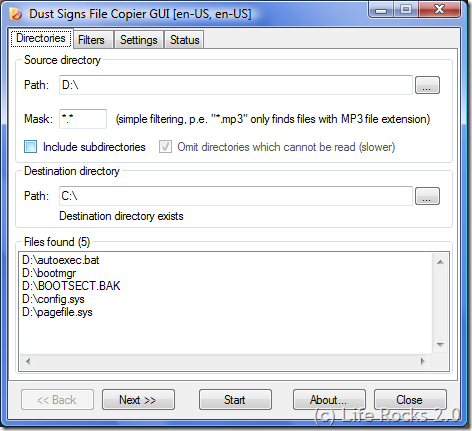
Features of File Copier;
- Support of files greater 2GB
- Recursive file search with the possibility to exclude folders without access permissions
- Filtering of files to be copied based on a combination of preconfigured filters, file or folder exclusion and also supports regular expressions
- Possibility to copy file and folder permissions
- Possibility to copy all files into the target directory (without subfolders)
- Different fill algorithms for corrupt blocks
- Configurable block size adaption to adapt accuracy/speed
- Multi-threading for file search, filtering and the copy process for a responsive GUI
- Speed display and calculation of the remaining time
- Drag and Drop files and Folders into the program window from Windows Explorer
File Copier does not require any installation and can be run directly using the exe file and it require .Net framework 2.0.








Nice Tool To Copy Multiple Files..
– Anurag R.C.
http://www.pcdrome.com
Latest Post:
http://www.pcdrome.com/2008/09/webripper-rip-everything-from-web/
does this work in xp??
Awesome little util, quick and easy to use, very flexible through the use of exlusions. Simply brilliant, thank you.