

Managing you contacts in your Gmail account will be a tedious job especially if you have large number of contacts. Here is a free desktop application iContact will helps you to edit, manage and update your Gmail contacts. It also supports Google Apps account which is useful for bloggers and website owners. iContact uses Gmail/Google Apps contacts list as the central repository for your contacts. You can still see and edit your contacts in Google but iContact allows you to have instant access to your contacts whenever you need them without logging into your Google/Gmail account.
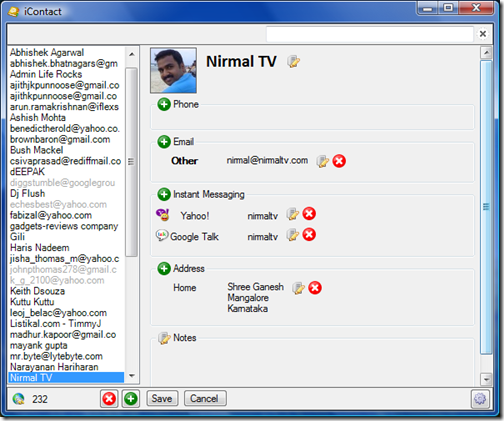
Once the application is installed you can log into your Gmail account or Google Apps account. In case you are logging to Apps account, you will need to specify the complete email address. You can see all the contacts on the left hand side and when you click a particular email, the details are shown on right hand side. You can add phone number, IM, Address and Email address. Apart from this there is also provision for adding notes.
iContact is connected to different tools on your desktop. You can start your email program by clicking on the email address, call them with Skype or find their address on Google Maps. If you have more than one PC, iContact will allow you too see your contacts on all computers without the need to synchronize them.
Features at a Glance;
- Gmail and Google Apps compatible
- Online access to contacts (two-ways: Read and Write)
- Fuzzy search
- Find contact address on Google Maps
- Dial phone numbers with Skype
- Intelligent phone number correction
- Add/Remove/Edit contact photos
- Large text display of phone numbers
- Search in names, addresses and notes
- Starts with Windows if you want and connects to your Google account
iContact is a great freeware for organizing Gmail contacts from your desktop and its worth a try.







