

When your blog or website is on shared hosting, you can find out how many websites are hosted on your server. You can either get the sites hosted on an IP or enter the URL of the site and get the number of sites hosted along with the website. A reverse IP domain check takes a domain name or IP address pointing to a web server and searches for other sites known to be hosted on that same web server.
1. myIPneighbors – You can check the sites hosted along with any website or IP.
2. YouGetSignal- YouGetSignal also allows you to find sites hosted on any IP or Server.
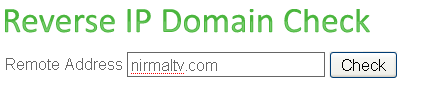
Although these sites give sites sharing an IP or server, the results may not be accurate. When we did the check on these sites, both of them returned different values for same IP.








Nice tip. I notice they show different numbers.
myipneighbors.com finds 665 neighbors for misual.com
while yougetsignal got 856.
This is a big difference.
Well I have my own IP so not much to check there, but neways always useful when you are on shared hosting.
Most of the whois tools provide that…
Nice tool and works great of its kind.
I never bother about about IP’s but Is there any use in knowing these?
@PC you can do nothing about it but you can know why your host sucks…greater the numbers on a single server, worser it is for you 🙂
Excuse me for my ignorance…is this something similar to Flagfox in Firefox?
My site shows 800+ hosted on the same server. How much is too much?
When does it make sense to get a virtual server?
theres a free service called atsameip.com that does that