

Speed Launch is an free application launcher that extends the functionality and usability of Microsoft Windows. This is the first community prototype from Office Labs. Community prototypes are projects Microsoft employees work on in their spare time. Speed Launch’s goal is to let you get to the stuff you use faster and with less frustration. With Speed Launch, users can select their own words to open frequently used websites, documents, and applications.
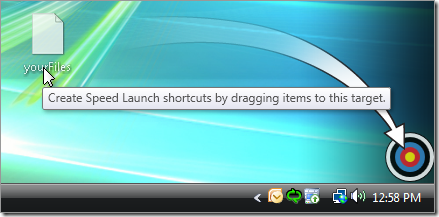
After you’ve download Speed Launch and installed it, simply drag the file, document, or website URL or any program onto the Speed Launch bull’s-eye to create a Speed Launch shortcut. From then on, any time you need to access that file, document, website or program, just hit “Windows+C”, type the shortcut name, and what you need will immediately appear.
Each time you drag a shortcut to bull’s-eye, you will need to enter a unique name to it, so that it can be launched using this name. You can create any number of shortcuts for applications. When you want to change the shortcut name, right click on the Bull’s-eye and select “Manage Shortcuts”.
Requirements:
Windows Vista or Windows XP SP2 with .Net Framework 3.0
Download Speed Launch [Via WinVistaClub








great application, quite innovative
Good software. i did one such software as a part of a project competetion which will even lessens the RAM usage..
Can i drag vista into the bullseye?
Nice App.
Thanks
Looks like a nice application will give this a try