

In case your PC is shared one and many others users access it, then there are chances of virus or malware attack through removable drives(CD/ USB drives). You can configure your PC such that removable drives are not accessible in Vista. If this setting is enabled, then no access is enabled for removable. To disable access to removable drives follow the steps below;
1. Open Group Policy Editor (Start-> Run-> gpedit.msc). Group Policy editor works only on Vista Business or Ultimate Editions.
2. Navigate to Computer Configuration > Administrative Templates > System > Removable Storage Access.
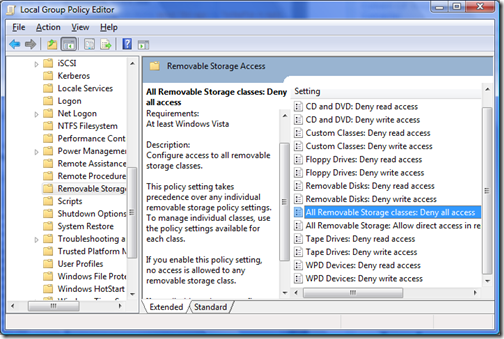
3. Select “All Removable Storage class: Deny all access” and select enable.
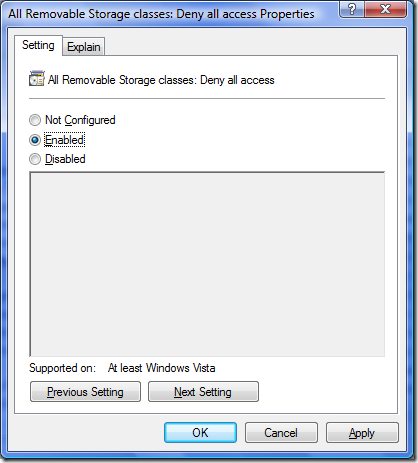
Alternatively you can also configure removable drives for read only or write only access. Its also possible to configure CD drives, Floppy drives etc independently.



Nice tips, this will definitely help when you don’t want people to access your backup device and other drives.
I will do it in my Dad’s office
pls provide the same solution for windows XP. I reached till “system” but unable to find storage devices.
regards,