

Wetpaint is a free online service which helps you to create a Wiki website in three easy steps. Wetpaint lets anyone create a Web site for free that can be altered by anyone or you can set permission on who can edit the page. Wetpaint makes it extremely easy for anyone to open it up and start adding content, even if you’ve never seen it before. The user interface is really good. Wetpaint uses the best features of wikis, blogs, forums and social networks and mixes everything you need so you can create, collect, and organize content on your own social website.

Steps to create a Free Wiki;
1. In the first step you need to enter a name for your Wiki and select a URL, the URL will be like yourwiki.wetpaint.com. Select a category for your Wiki and then set the permissions on who can edit the Wiki.
2. In the second step, you need to select a template for your Wiki from the list of available ones. You can see a preview of your website.
3. In the third step, you will need to create an account with wetpaint, in case you do not have one and invite friends to see your Wiki. You get a confirmation email from wetpaint.
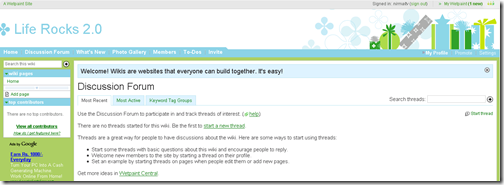
Wetpaint is definitely a great way to create Wiki sites for free although there are few limitations.








Wetpaint is a really good service, I have tried it in the past but never utilized it fully.
Looks good, what are the limitations?
What abot wikispace? Which one is better?
Can you also highlight some limitations also?
@Ram, @Abhishek,
The limitation was I found is that there is adsense ads and you cannot control that.