

Windows Vista has a different type of display for date and time when compared to XP. Vista provides with the option of adding two more clocks to the existing display of one. This could be helpful if you are working with people from different parts of the world. Adding additional clocks is an easy task in Vista.
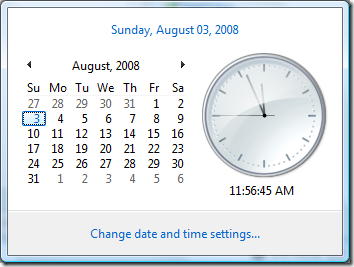
This is the normal display of time and date in Vista, to add two more additional clock, click in the link “Change date and time settings”. Select the Additional Clock tab in the date and time settings.
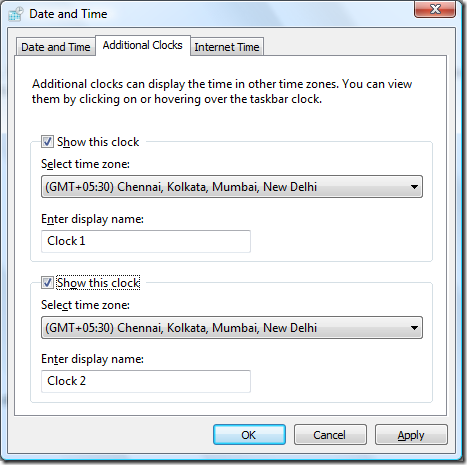
Here check the boxes against “Show this clock” and select the time zone you want to display. You can also enter a name for the clock and once you are done click OK.
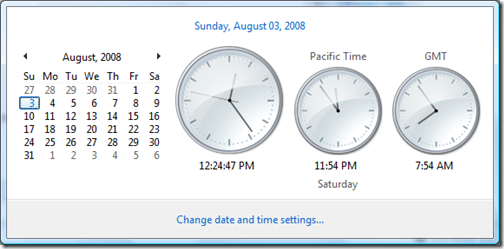
Now you can see three clocks, one primary and two additional ones.





At work we are still using XP and not ready for Vista yet. I wish this feature was available in XP. Displaying multiple clock on Windows by default is definitely a very good feature, I’ll keep this in my mind when we upgrade to Vista.
Ramesh
The Geek Stuff
Nice, never noticed it.