

Most of the times, desktop is the default location of all downloaded files. In due course, desktop will be crowded with all files and folders. Desktop Teleporter is a free application to automatically move file and folders from desktop to user specified location making your desktop clean all the time. You can set up rules for moving files and folders.
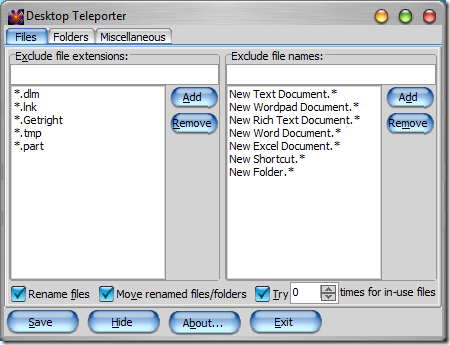
You have the option of excluding file extensions or file names. In the folders tab, you can set the location of files to be moved to. So next time you save or download a file, it will be automatically moved to the folder specified. Desktop Teleporter is completely free to use software.








Though, I save files to the desktop usually, i clean it up every two days.
Innovative app, though.
My desktop becomes Junk yard in a week then again cleanup activity on every Sunday.This app is certainly going to help me
Thanks for sharing Nirmal.
this is a great tool, i have also done a review of this tool, neways i have been uisng this tool for a long time quite nice tool.
I know a program called RoboBasket. It’s an automatic file sorter that can copy, move, rename and process files based on the user configured set of rules. You can choose to process files based on their date, size, extension, folder location, mp3 tags, file name and other properties and choose from action that include move, copy, rename, open, print and other file operations.
Please check it out at
http://www.easy-to-use-software.com/html/robobasket-help-to-keep-clean-desktop