Past few weeks we have seen a number of Chinese Mobile OEMs enter India including the recently entered Phicomm, Coolpad and the popular ones like Xiaomi, Honor etc. Now we have yet another Chinese brand launching their first device in India. Elephone is a relatively less popular brand in China, but they do have a good portfolio of phones with great hardware at an affordable cost.
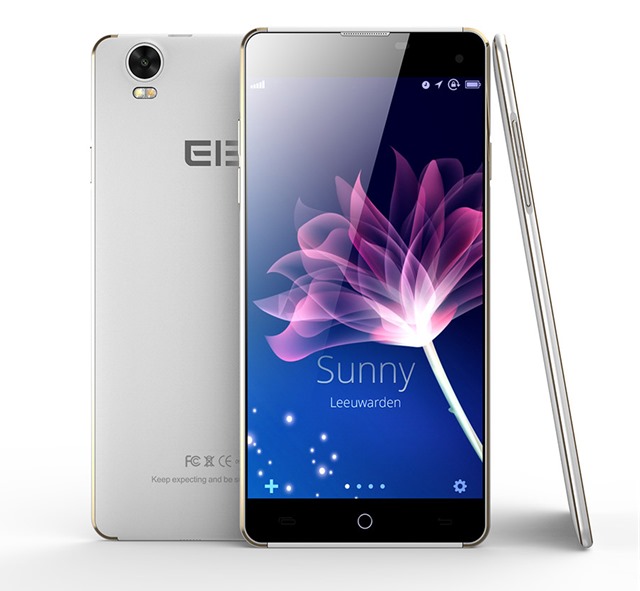
Elephone has launched the G7 in India to compete the budget segment. The phone is just 5.5 mm thin and comes with a 5.5 inch HD display (1280 X720p) and has a pixel density of 267ppi.
The phone is powered by 1.4GHz MediaTek MT6592M octa-core processor which is coupled with 1GB of RAM. While a lot of devices in the sub 10k price range has 2GB RAM in India, Elephone has gone with 1GB on the G7.
On the imaging front, the device has 13MP rear camera with LED flash and a front facing 8MP camera for selfies and video calls. The internal storage is limited to just 8GB, but is expandable to 64GB via micro SD card.
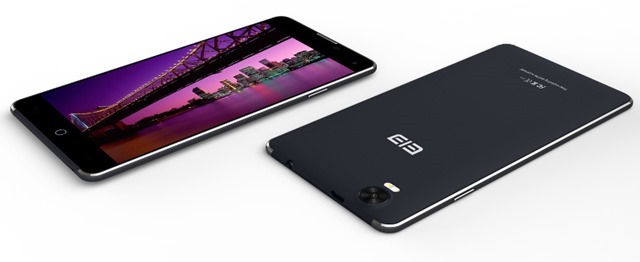
The design is one of the best aspects of the device. At just 5.5mm thin, it is a beautiful looking phone in the budget segment. The phone supports 3G and comes with dual SIM cards, but the lack of 4G LTE might be a deal breaker for few.
The phone runs on Android 4.4 KitKat which is again an outdated version. There is a 2050mAh battery included in the device.
Elephone G7 comes in black and white and gold colors and is priced Rs 8888. The device will be exclusive to Snapdeal.