

TrueCrypt is a free Open Source software application used for on-the-fly encryption. On-the-fly encryption means that data are automatically encrypted or decrypted right before they are loaded or saved, without any user intervention. Data on the encrypted volume cannot be read (decrypted) without using the correct password/keyfile(s) or correct encryption keys.It can create a virtual encrypted disk in a file (container), which can be mounted as if it were a real disk.
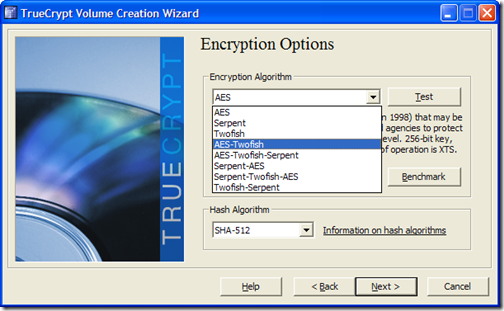
On the Fly encryption process means files are encrypted or decrypted while being copied or opened and this process is done in the RAM. For example when you are opening an encrypted video file in media player after providing the passkey, it is decrypted at the same time it starts playing the decrypted portion. The decrypted portion of the video is kept in the RAM. This process is called on-the-fly encryption/decryption and it works for all file types.
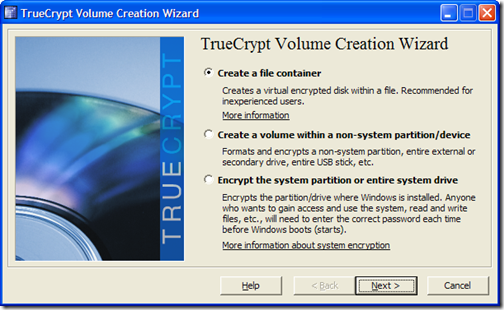
It can create a virtual encrypted disk in a file (container), which can be mounted as if it were a real disk.TrueCrypt also supports device-hosted volumes, which can be created on either an individual partition or an entire disk. TrueCrypt never saves any decrypted data to a disk – it only stores them temporarily in RAM (memory). Even when the volume is mounted, data stored in the volume is still encrypted. When the system is restarted or power is switched off, then the decrypted files are not available. To make them accessible again, you have to mount the volume and provide the correct password.








great software…but never feel the need to use it…thanks for sharing.
Hey abhishek,
May be you are saving all your info in Floppy disks right? Thats why you dont feel the need yet, because today, people saves info in External HDD, USB Flash, etc, and one way to prevent that your information ends in other hands = ENCRYPTION.
Dont take me wrong, but the 2 first words of your comment would be good enough.
Excelent Article!