

BitMeter II is a free bandwidth monitoring tool which displays the download and upload speed of your Internet connection graphically. It allows you to visually monitor your Internet connection by displaying a scrolling graph that shows your upload and download speed over time. It has different colors on the graph which represent your upload and download speeds, the display updates every second, and the current speeds are also displayed numerically.
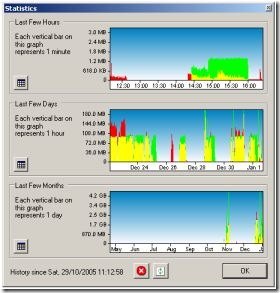
The data shown in each of the graphs is also available numerically, and can be exported to a spreadsheet for detailed analysis. BitMeter also has an Alerts feature by which you will be notified when you have uploaded/downloaded a certain amount, or if your speed goes above or below any limit that you specify.
Other features of BitMeter;
- Audio notification at regular and also about upload and download limits
- Animated System Tray icon shows upload and download speeds
- Connection Speed Helper
- Change graph type
- Configure System Tray tooltip information
- Manual and automatic backup options of configuration and traffic history information.
BitMeter also has a web interface and you can check the demo from here. BitMeter has a lot of other handy features which will help you to keep track of your Internet usage.








IT looks nice. Downloading it
@Madhur: Agreed! Nice yet useful too.
Hmm..nice tool.I will download it.Great post by the way
Download button takes me to:
http://www.35050.co.za/za_35050_gold_sp_web/site/pages/mini_v2_check.bsp?service=gold&mk=16218&subparam_mk=GoogleDIS&gclid=COXog6GbhK8CFYJLpgodJlnM0w