

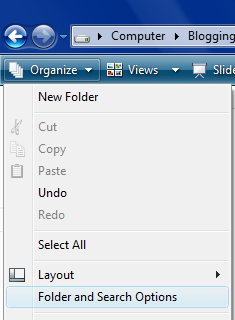
In Windows, if you want to select multiple files, the you need to use CTRL or SHIFT key. In Vista you can select multiple files and folders using checkboxes. you will need to enable this in the folder settings. To do this, Navigate to Folder and Search options in the Organize menu.
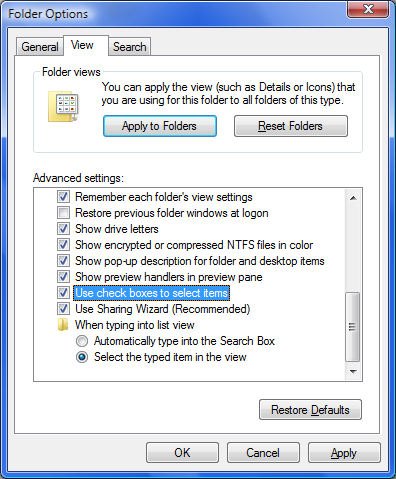
In the Folder and Search options, select the View tab and check the box against “Use Check boxes to select items”.
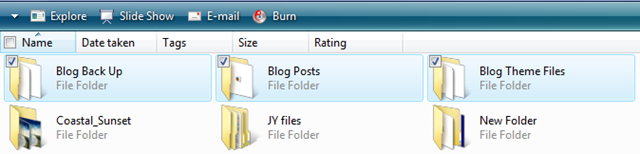
Click Ok and now you will be able to select files and folders using check boxes. To select a file using Checkbox, hover the mouse over the folder and you can see a checkbox on the top left hand corner.





Cool tip Nirmal specially useful when you want to copy or move multiple folders
Nice tip Nirmal. But me being me, I had tried this out and then disabled it, as I found the checkbox next to every icon ugly 😛