

Vista has lots of new features like Aero effects and sidebar which can consume more battery while enabled. Vista Battery Saver is a small freeware program will save up to 70% of your battery by disabling Vista features while in battery mode which consumes more power. This utility runs in the task bar by enabling and disabling customizable features when power source changed or battery power fall under certain percent.
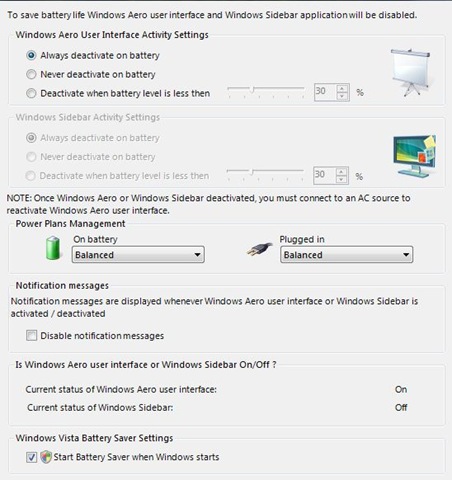
You can deactivate Aero and sidebar when the laptop is running on battery and this can only be enabled back once its connected to AC source.








some days back i have also written on this, because i don’t have vista so not able to show picture, can i use this picture for my blog post.
anyways this post is really good
for sending full feed on google reader which plugin u r using?
actually my blog posts are not fully shown on google feed
@Ajay,
You can use the picture, no issue. 🙂
For full feeds, I’m using this plugin- http://cavemonkey50.com/code/full-feed/
I usually use the adapter whenever I use the laptop but this will definitely help me to save battery power when I am on the move :D, stumbled.
@Keith,
Even I use adapter when using at home, but while travelling this can come handy.
Thanks for the Stumble.
I’ve been using this application for 2 days now. Works very efficiently. Loved it!
my laptop backup is getting more worse day by day…lets see if this application can help.
I’ll definitely be using this tool. Thanks a lot.