

Notebook Hardware control is a good program for controlling various power savings settings. With Notebook Hardware Control you can easily control the hardware components of your Notebook. With this freeware, you can set the amount of time for which the hard drive will stay in standby mode. NHC is supported on Windows 2000, XP or Windows Vista. It requires .Net framework version 2.0.
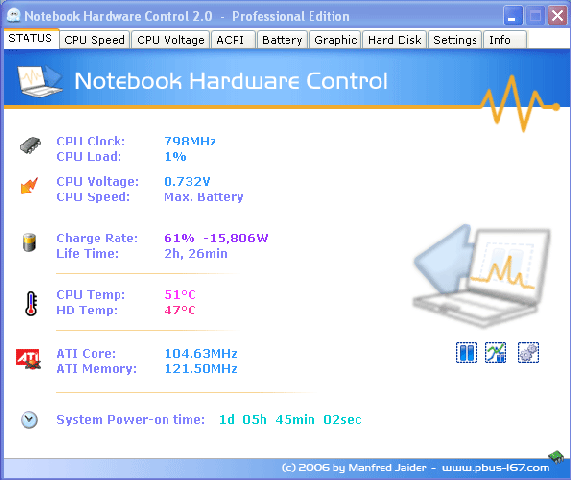
Notebook Hardware Control helps you to:
- Control the hardware and system power management
- Customize the notebook (open source ACPI Control System)
- Prolong the battery lifetime
- Cool down the system and reduce power consumption
- Monitor the hardware to avoid system failure
- Make your notebook quiet
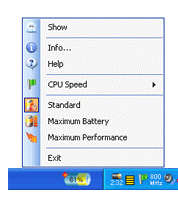
NHC is very powerful and it has a friendly program surface, it’s easy to use and free for private use. Notebook Hardware control runs in system tray and you can change the setting from here.
Download Notebook Hardware Control








Nice post Nirmal i didnt know that there’s a device that can manouvere the power consumption of our PC’s thnaks for sharring.
Thank, Nirmal. I am going to try it out.
I’ll practice it to my laptop. My battery performanece is dropping. Hope it could helps.
Nice find Nirmal, Need tot try that, Infact my Laptops battery performance is really poor. Hope it does get some better by this 🙂
nice handly tool to have…does this work only on notebooks?
@Rajesh,
Not sure whether this will work on desktops, I have not tried it.
This is very useful. My battery is totally drained out and I am planning to purchase the new one. I’ll sure this low performance does not continue with the new one. Thanks for the useful application.
huh.. nice piece of software! i will surely take a closer look 😉
‘Cool’ software. However, tricky to set up and not user-friendly. My laptop has cooled down somehow but I wish I knew whether I have the optimised settings.