

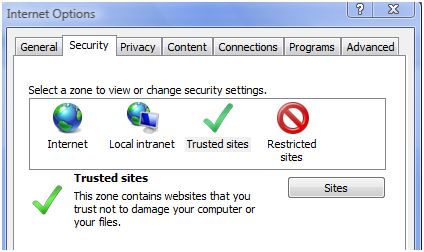
Internet explorer has an integrated zone for adding web addresses which are classified as “Trustworthy Sites” and “Restricted sites“. Many entries might have added if you are using IE for long time. Now when you want to shift these settings to another PC, you can export these data and read it on another PC.
To export these setting, open registry editor (Run->Regedit). Navigate to HKEY_CURRENT_USER\Software\Microsoft\Windows\CurrentVersion\Internet Settings\ZoneMap\Domains
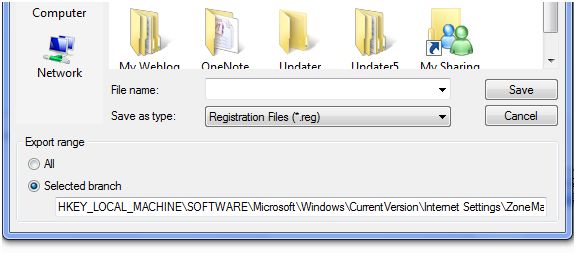
Select the entry and click export from the file menu. Type in a name for the file and ensure that the ‘Selected Branch’ option in save window is activated and click the Save button.
Now you can copy the file to new PC and double click to add the details to the registry.



Cool tip Nirmal, if I could have know this few months ago I would be able to save some time setting up trusted sites on my new laptop.
Sumbled.
Nice one,… but of no use for me… I use IE one in a fortnight or even a month…
There should be a hack to do the same in Firefox or best is just backup the whole FF profile.
On another view, I think this should get backed up when a users profile is backed up in Vista or XP. Will need to look around for it.
well firefox stores all the user profile info in the user settings (under some folder in Documents settings, application data…) …
not sure why IE stores them in registry? is there any particular reason? otherwise the registry is unnecessarily loaded…
@Techblissonline by default IE stores all the settings in the registry since it comes bundled up with the Windows system.
Yeah keith, I know that IE does that by default, as it is from the Microsoft stable.But what are the advantages in storing them in the registry than in windows folder (as in firefox)? Does microsoft consider it a more secure approach ? or does that give any performance or memory optimization advantages in storing them there, unlike the firefox architecture?
my question is? how do you import the new ones? and also how do i delete a HUGE list that was put there by spyware?
Rachael