

Vista has been said as the heart of digital entertainment and has the Windows Media Center for this. Media Center can be used to listen to music, watch DVDs and TV and view pictures. Windows XP on the other hand does not feature and media center edition. Most of the features of Media Center can be found in the freeware Media Portal.

MediaPortal is an Open Source application ideal for turning your PC / TV into a very advanced Media Center. Media Portal allows you to listen to your favourite music & radio, watch and store your videos and DVDs, view, schedule and record live TV as a digital video recorder and much more.
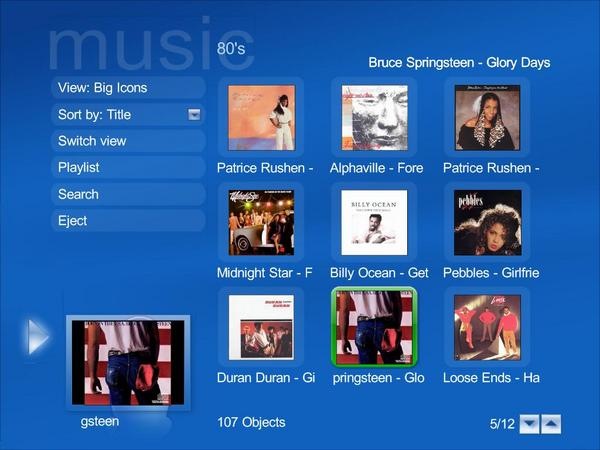
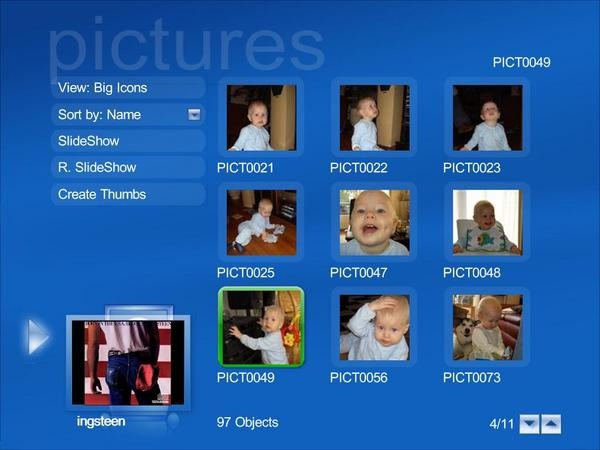
Media Portal also supports lots of Plugins which can be downloaded from the Plugins page. Media Portal has lots of features for watching TV, DVD, organizing pictures, music, listen to radio and much more.








I use Vista and must say that the media center is a real nice way to manage media. I’ll download and use this on my other XP Laptop though :).
I always wanted to try out Windows XP Media Centert, but never actually got a chance. Will try this one now.
@Keith, Harris,
Its worth trying on XP.
Cool interface…..
i will definitely try this…cool that it is a freeware…
Freewares are always welcomed. This looks to be a better option then what i currently use, Will try this one too.
Images you provided is very eye catching. I suppose the application will be good too. I am going to use it on my home computer.
That looks really cool Nirmal. Good find! Stumbled!
@Aseem,
Thanks for the Stumble.
Nice find Nirmal features are great.. Bookmarked.