

One of the prominent changes in Vista over XP is the vastly improved GUI. There are many ways to improve the GUI of XP and one of the freewares to do this job is XPize. XPize is a GUI enhancer for Windows XP and 2003. It replaces most of the non-XP icons, avis and bmps that Microsoft has always overlooked. The XPize installer simply automates the process of replacing resources in system files, making your XP’s look better.
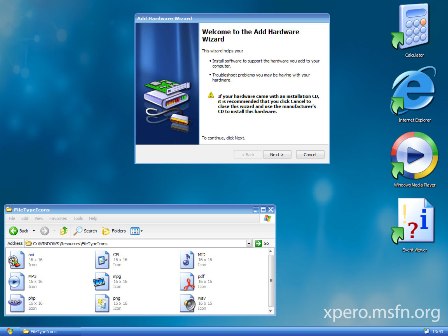
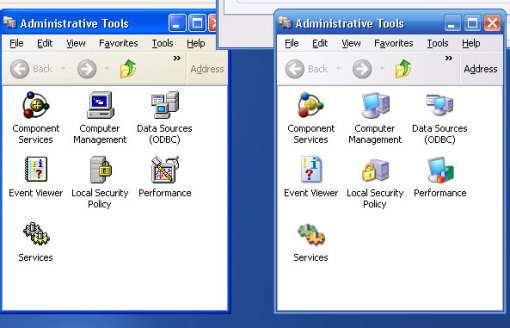
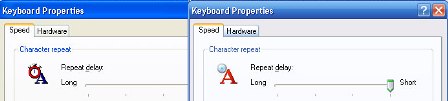
Here you can see the old look of XP and the new look after installing XPize.
Features of Xpize;
- Patches more than 150 system files without user interaction.
- Updates tons of old resources still existent in Windows XP coming from Windows 95/98/2000.
- Gives Windows XP a fresh new look, with new animations, icons and images.
- Installs some cool extras, such as a boot screen, logon screen, screensaver and more.
- Lets you create a custom Windows CD using the XPized ISO feature.
XPize is supported on Windows XP or Windows Server 2003.







Just curious, is there a way to revert back to the normal XP easily? I am guessing uninstalling it, but sometimes if files are replaced, it can cause unrecoverable problems.
Yea like Aseem I am also curious if this can be reverted, I know Vista transformation pack gives you an option to revert back whenever you want.
That said I am using Vista now but also have a XP laptop to play around with so will give this a try.
I guess it is better to create a restore point before trying out these applications.
@Aseem, Keith,
As per the website info, it says you can uninstall it any time, but I’m not sure if it causes any permanent file changes. As Madhur said its always better to create a system restore.
@Harris,
When I tried also it didnt remove all the files.
Nice application. How much memory consumption did it take? Any idea…
Of course as Madhur pointed out earlier, I will try it only after creating a restore point.
Well, I must admit this, Xpize brings me back some bad memories. I had to reload Windows XP after some 4-5 days of installing it. I would rather prefer themes.
I tried it, and it really transforms your Xp in a completely different outlook. Uninstalling it made a problem when even after uninstalling, the icons and other minute changes didnt revert back to the original. I am still looking for a solution to it 🙁 .
@Vaibhav,
Do we really need to uninstall it?
My Question Exactly!! Do we really need to uninstall it? If so what are the reasons? Does it slow down the pc or anything?
Will Try it.. I hate the bland XP look.