

If you need to integrate photos from Flickr into your word documents, then Flickr4Word is the best extension. This free word extension adds a program interface in Word 2007 that allows direct access to Flickr content through dialog box. Images cab be easily inserted into the document. To install this software, first exit all word documents and then run the msi file. This will add an option in the upper menu when you click insert.
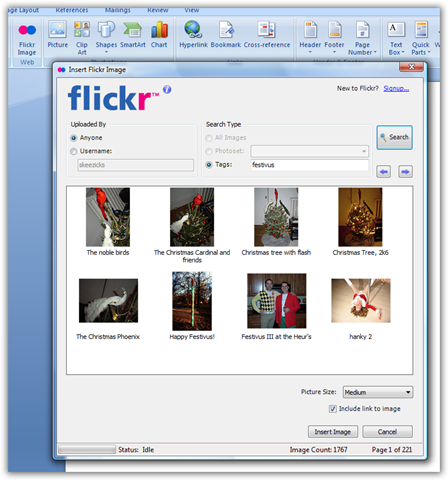
To select an image, click on the Flickr button and then search for the image using user name or search terms. Select the size of image and then insert it into the document.








This is crazy cool man! Awesome find! Stumbled and added to Del.icio.us! Good stuff!!!
@Aseem,
Its a great freeware to search images. Thanks for the Stumble and glad that you liked it.
No problem…I did really like it! Already added it to my Word 2007!
Wow this is cool, great find.