

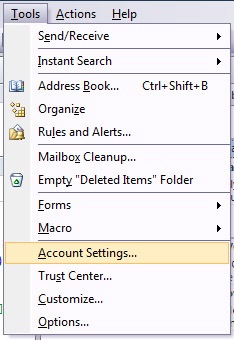
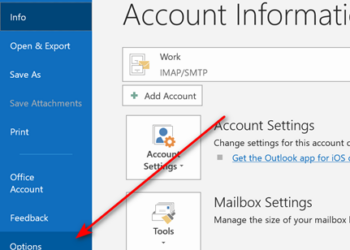
If you are using Outlook 2007 as your email client, then you can also use it as a feed reader. By this way you can integrate email, calendar and RSS feeds all at one place. Configuring Outlook for RSS is also very simple. To configure Outlook for RSS feeds, select Tools-> Account Settings.
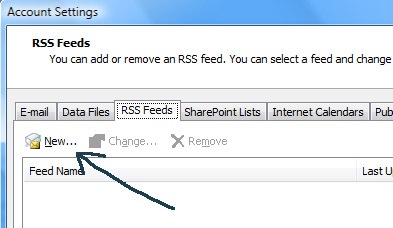
In the account settings, select RSS tab and click new button.
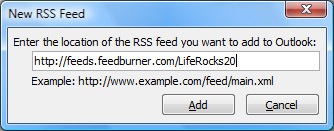
Next enter the feed url in the New RSS feed box.
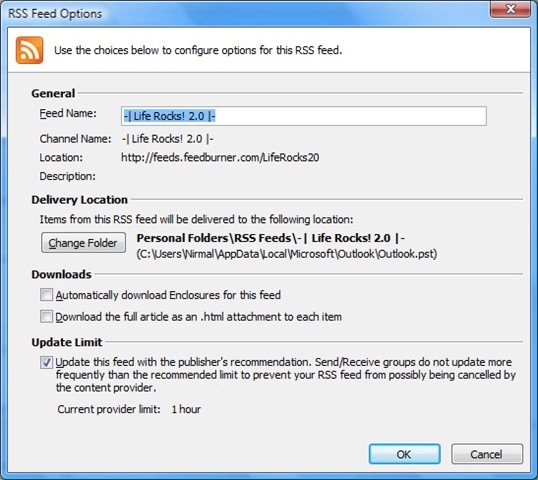
Once you select add button, you can see the RSS feed options, you can select where the Feeds are being delivered.
Now can can read all the feeds in you Outlook.
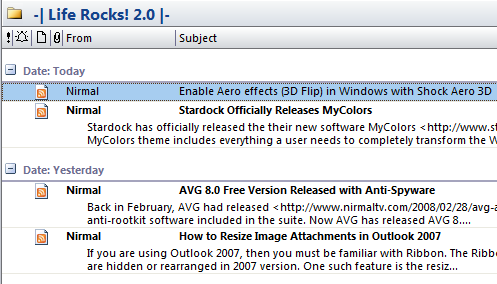
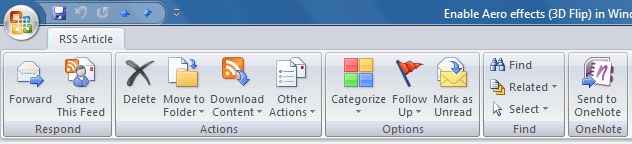
You can also share and forward feeds in your inbox.




Thats a very integrating post nirmal i would be glad to use my Microsoft outlook as my feed reader.
From,
http://www.technosigns.blogspot.com
Nirmal, friend of mine posted Backup your blog with outlook 2007 in last year. Should check it out 🙂
Nice piece of information Nirmal . I think u remember me , You have done a nice job regarding to blog design , 1st i thought i have visited some hi tech website but after reading content i came to know this is your blog , nice look and well maintained , keep it up 😛 .
@Myo Kyaw Htun,
I’ll check it out.
@Atul,
Good to see you after a long time. Glad that you liked my design.