

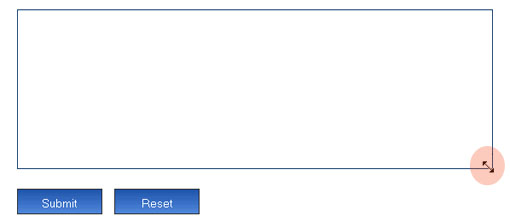
The small size of textboxes and textareas in some websites/blogs makes it difficult to comment. This case can also occur while filling up an online application. We are unable to preview the complete contents in textareas/ boxes. Resizeable is an add-on for Firefox which does the job of resizing any HTML form fields including textareas, select boxes, text fields, and iframes.
After installation, you can re size HTML forms fields horizontally or vertically or combined together.
Download Resizeable Add-on








A great useful extension of just 4MB.
Installed it right away.
Earlier, when writing in small forms it used to scroll thorugh 5-7 lines in a single scroll. Was very bad. Now it’s better.
And, this would be great for us, the bloggers too (resize the WYSIWYG window)
You dont have to install an extension for such a simple functionality – if you have greasemonkey, just install the Textarea resize user script to get this feature.
yups. You can always find GM scripts for just anything.
Anywayz, this extension is just only 4 KB.
As Arvind rightly pointed out, I face the same problem.
@Binny,
Thanks for the tip.
Nice Extension, Thnaks Nirmal 🙂
But am using the GM script for this feature
ohh, dun know about this add-on. 🙄 i should give a try
p/s: nirmal, sorry for second comment (and not related). can i know what plugin you use at ur archive page ?
I also use Greasemonkey script for this and it is really useful when you have a tiny text-area 🙂