

Many times it happens that after a Windows re-installation, we will be searching for drivers for audio and video as we do not have it in a single location. DriverMax is a free program which helps you solve this problem of re-installing drivers. DriverMax is a free program which allows you to easily reinstall all your Windows drivers.
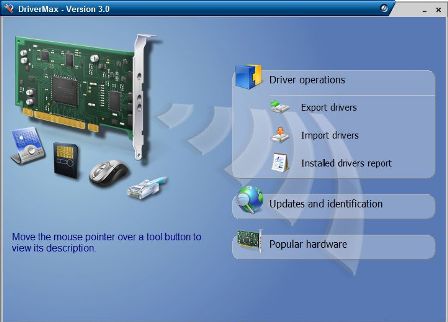
The program has an export and import wizard. The Export Wizard will only export the drivers you select by copying the needed files to a folder or a compressed ZIP file. Once you are done with the re-install of XP, you can import all the drivers which you had exported. It will take less than 10 minutes to restore all drivers.
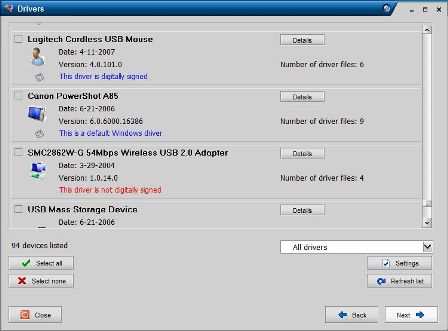
DriverMax is able to display a complete report of all drivers (versions, release dates) installed on your system. This feature can also be very useful when you want to analyze the differences between the drivers installed on different machines.
DriverMax works with Vista, XP and Windows 2003 for all service packs.








What I used to do was write all my drivers to a CD and use that when installing windows. But since I moved to Linux, this is no longer necessary.
I tried this software long back. It is really powerful and easy to use.
This piece of Software is a real life saver. I can still recall countless incidents where my friends screw their PCs and re-install the OS, but end up being muted because they don’t have the sound drivers.
Thanks for the beautiful review.
Windows Vista makes driver installation simple. Every time I reinstall Windows, I just open Windows Update, it downloads and installs the updated drivers for me. 😉 No searching for drivers.
@Thilak,
Glad that it was useful.
@Manas,
How about searching drivers after XP installation. 🙂
I was using driver genius for the same purpose, but now! I don’t need to use any such tool. I keep My Documents and Program files in some other drive and keep a Norton Ghost backup of xp drive…. Its some more than one year I touched my driver cd….
Good tool. I’ll probably need it when something’s broken/corrupted 😉
@ Nirmal – Now thats a good question …. 😉