

Firefox has a config file which can be accessed by typing about:Config in the url section. This file is similar to Windows registry file as it contains information on the running of Firefox.

The config file contains lots of information which the users can change apart from the default value. But changing this value can also be dangerous in the sense that it can sometimes cause Firefox to stop working. So its better to take a backup of the settings file, so that in case you change any value and any error occurs, you can always restore Firefox back to normal state.
How to take the back-up: Taking a back up is simple process. Select Run in Windows and type “%appdata%\mozilla\firefox\profiles“. It shows a Windows folder which contains a folder which has a name like ati9z0wb.default (the name may not be same in all computers). Open the folder and then copy the file prefs.js to a safe location.
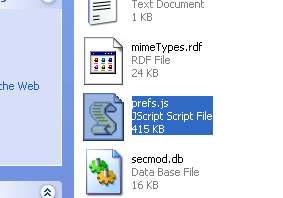
Should you mess something up in about:config file, simply close Firefox and copy the backup of prefs.js back to its original location.








Nice trick, easy way to backup firefox settings.Does it also backup the plugins??
@Venkat,
I think this wont backup plugins and themes, for that you need to back up your profile folder.
Have you tried Firefox Environment and Backup Extension it goes much beyond using manual intervention.
You can download the extension from here https://addons.mozilla.org/en-US/firefox/addon/2109
I also prefer to use the extension mentioned by Keith.
@Keith,
I have not used this extension as I dont want to increase the memory load on Firefox. But Will try it out.
Nice trick Nirmal. BTW am using the FF Extension for Backups
Well it does not increase memory Nirmal this is a per use extension so you will only use memory when the extension is used.
@Keith,
Thanks for that info, based on your recommendation, I have installed it, just going through the settings. 🙂
Never knew about this prefs.js file. Thanks for sharing it buddy.
BTW, I once did a small review on FEBE. You can find that on my blog 🙂
never tried this before, i will that addon mentined by keith
@Harris,
This Pref.js is important file for FX.
Few times, comments help the most than article. I came here to read the article but got an easy solution in the comments section. Thanks Nirmal and Keith.
Can you recommend a tool to manage bookmarks.
Something with a good interface, so I can edit group, rename etc…
I have so very many bookmarks cluttered all over 🙂
nice website btw… in our company we refer to your site often from the US!!